Real-Time WordPress Log Monitoring Without Server Access
Capture, Analyze, and Act on Errors Instantly
LogWatch centralizes WordPress logs and introduces real-time error tracking, notifications, and analytics—giving you complete operational visibility even without access to server log files.
LogWatchPro
Install LogWatch today and take control of PHP errors before they turn into client emergencies.
Starter
Up to 1 sites
Per Year
Get StartedAll premium features and access to new releases, plus: Premium support
Advanced
Up to 3 sites
Per Year
Get StartedAll premium features and access to new releases, plus: Premium support
Enterprise
Unlimited sites
Per Year
Get StartedAll premium features and access to new releases, plus: Premium support
No Log File Access Required
Eliminate dependency on server-level log access. LogWatch Pro captures errors in real time directly within WordPress, ensuring full visibility in restricted hosting environments.
Real-Time Error Notifications
Receive instant alerts via Slack, Discord, or email. Configure channels independently, filter by severity, and validate integrations with built-in testing tools.
Error Grouping & Analytics
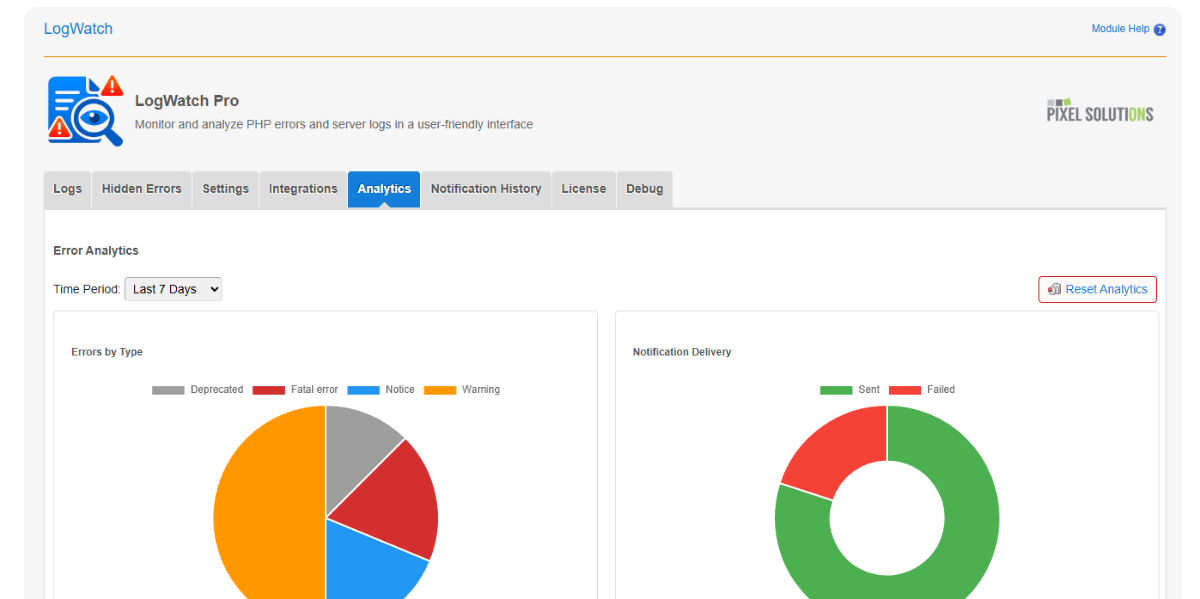
Automatically group similar errors and track their frequency. Visual dashboards provide clear insights into trends, top issues, and notification activity.
Controlled & Efficient Logging
Prevent noise and overload with intelligent rate limiting, structured filtering, and automated cleanup that keeps your system performant.
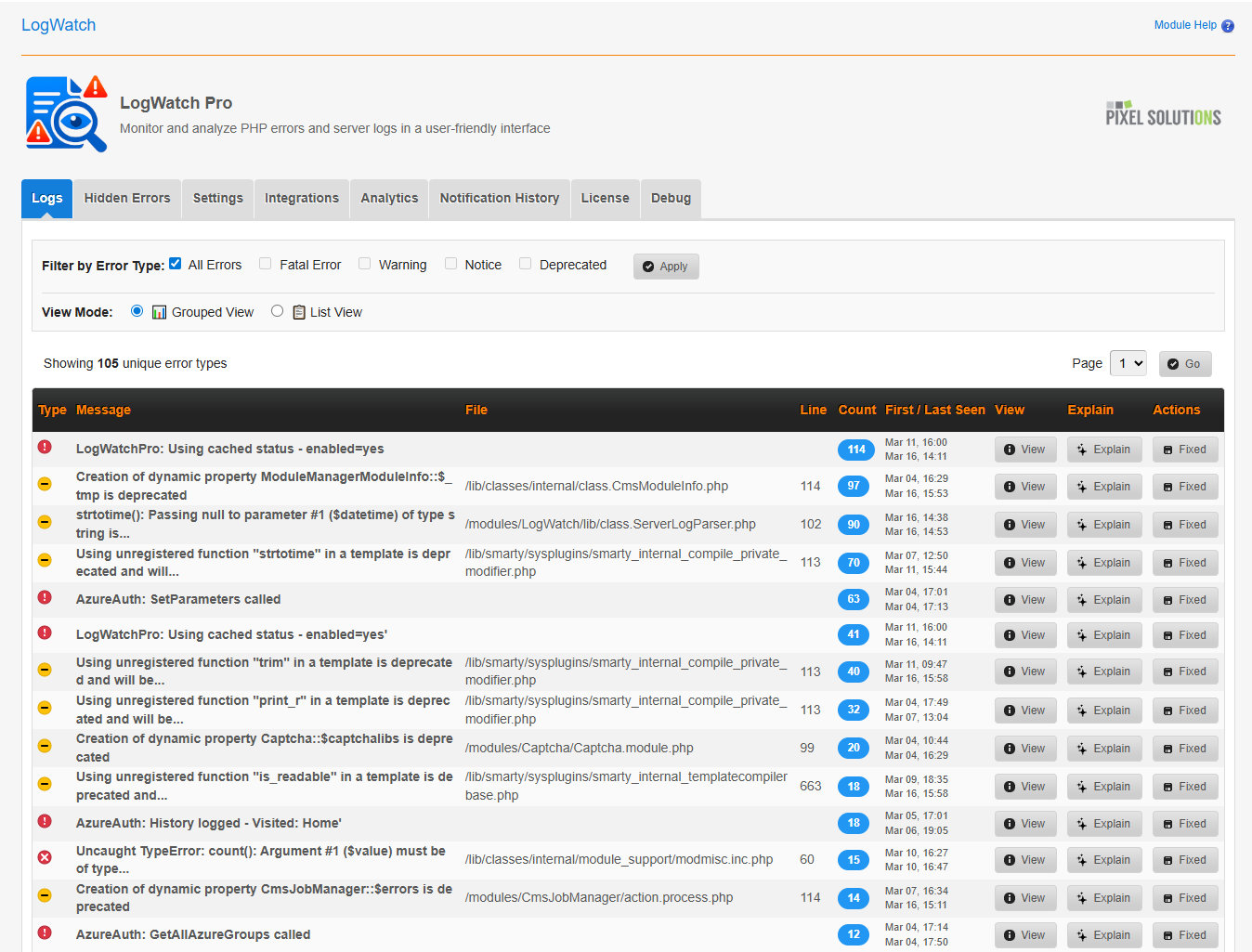
Free: Basic Log Visibility
Access structured logs and essential filtering tools directly within WordPress. Ideal for smaller projects or initial debugging workflows.
The free version gave us the visibility we needed to start diagnosing issues properly.
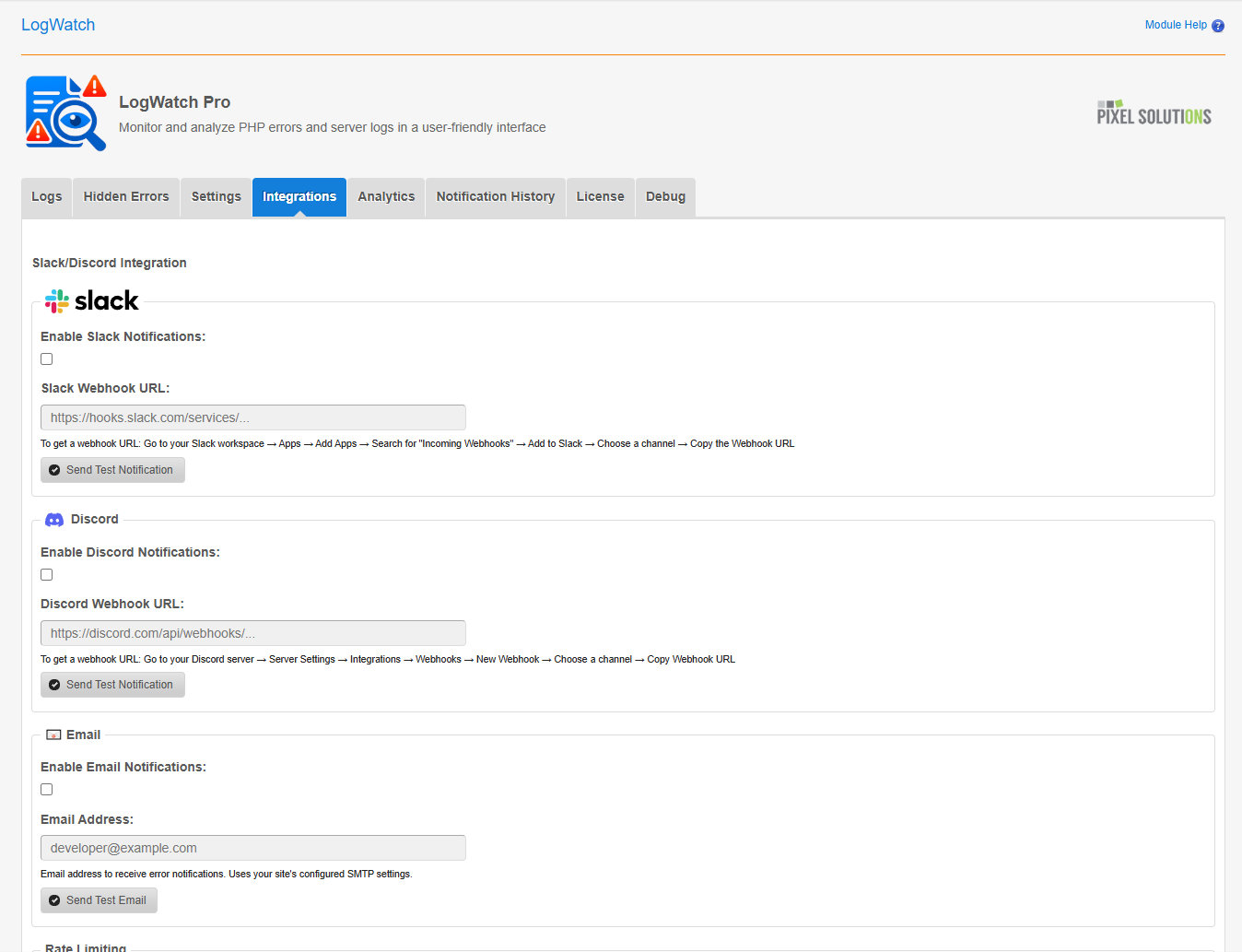
Pro: Real-Time Monitoring & Automation
LogWatch Pro introduces real-time error handling, intelligent notifications, and advanced analytics—built for production environments where uptime and rapid response are critical.
Works With Your Server Setup
Multi-channel notifications with rate limiting and history tracking
Export When You Need More
Error grouping with visual dashboards and time-based analytics

Built for Teams Managing Live WordPress Systems
Focused on Operational Reliability
0 Guesswork
Clear, structured PHP errors at a glance
100%
Focused on CMS Made Simple developers
Prevent Issues Before They Escalate
Activate LogWatch Pro to gain real-time visibility, reduce response times, and maintain confidence in your WordPress infrastructure.