
Installing the free version of TwoFactor is straightforward and adds enterprise-grade two-factor authentication to your CMS Made Simple installation.
1. Install
- Log into your CMS Made Simple admin panel
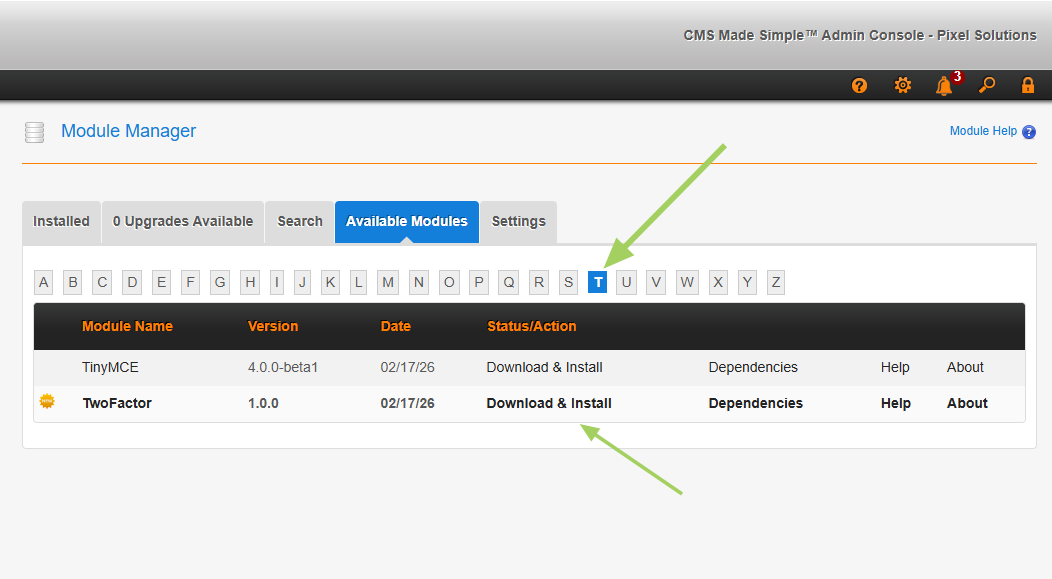
- Go to Site Admin >> Module Manager
- Click the Available Modules tab
- Click on the T tab
- Click on Download & Install next to TwoFactor
2. Configure TwoFactor
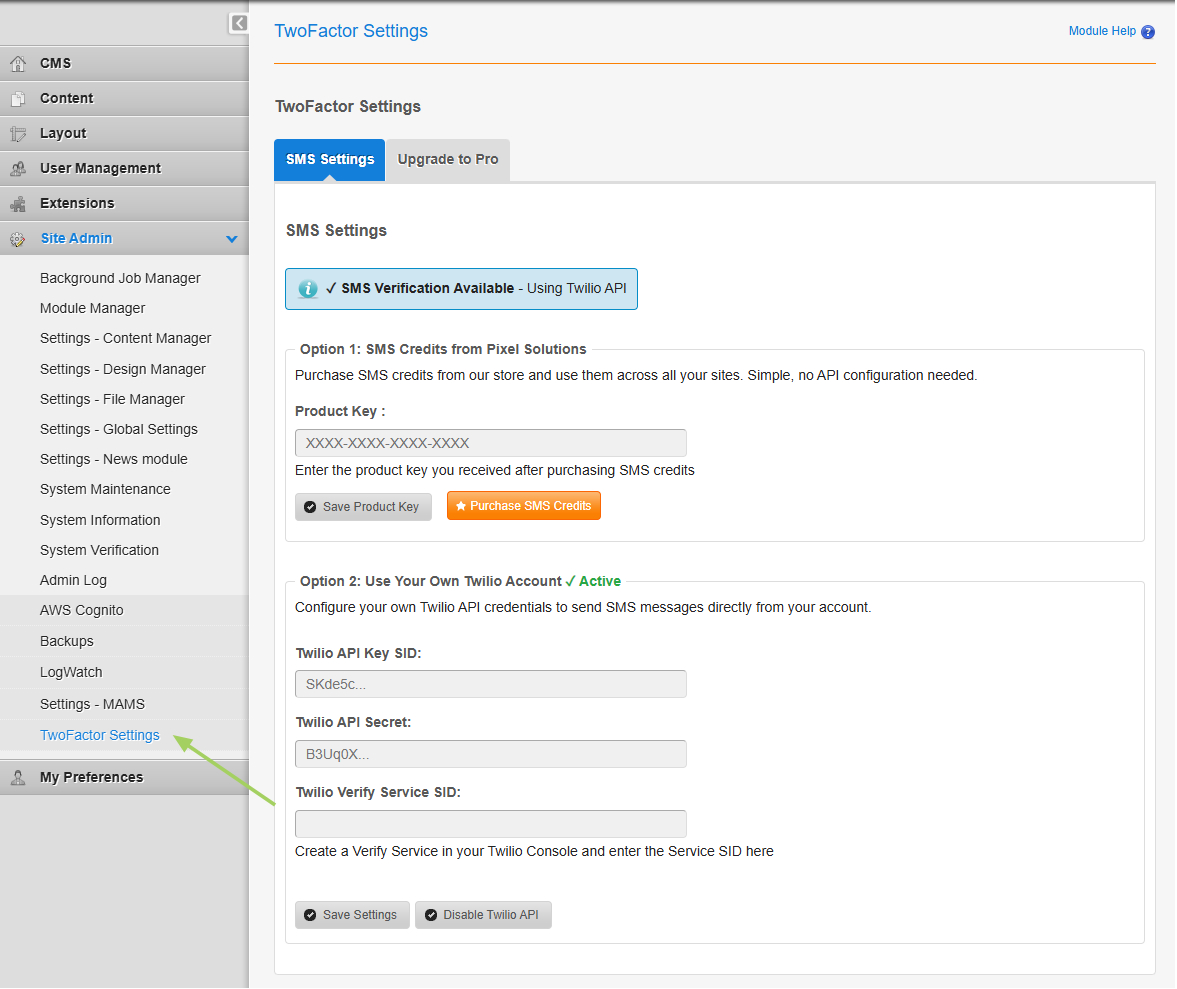
- Go to Site Admin >> TwoFactor Settings
- Configure your preferred authentication methods (TOTP, Email, or SMS)
- For SMS: Choose between Managed SMS Credits or Your Own Twilio Account
From here you can set up your personal 2FA methods and start securing your CMS installation.
Upgrade to TwoFactor Pro
Want enterprise features like enforced 2FA, rate limiting, trusted devices, and admin dashboards? Upgrade to TwoFactor Pro.